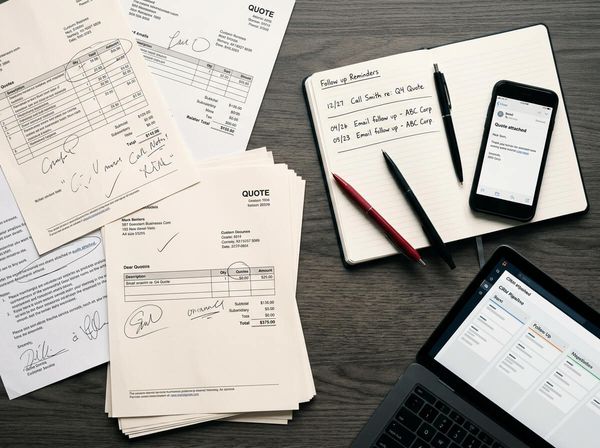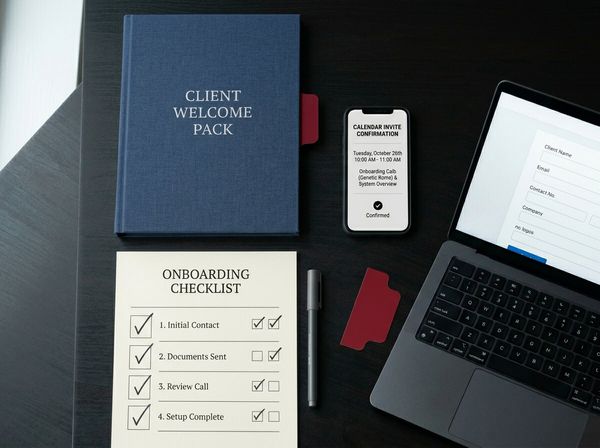
How to automatically send a quote after a call: capture the details on the phone, let a template fill itself in, and follow up without remembering.
In this article
An event manager rings on Tuesday morning: 80 people, a working lunch, three weeks from Friday. You're setting up a conference across town, so you promise a quote "this afternoon". If it goes out at nine that night, they may already have one from a caterer who sent theirs at lunchtime.
Here's how to automatically send a quote after a call: where to start if you have Xero and no CRM, what to capture while you're on the phone, what should send on its own and what should wait for you, and how to follow up without having to remember.
The short answer
To send a quote automatically after a call, fill in a short form while you're on the phone. A template turns the answers into the quote: standard ones send themselves, and custom ones wait for your OK. If you have Xero and no CRM, start there. After two days of silence, a reminder goes to the client.
Writing the quote rarely takes long. The delay is the gap between the call and the moment you sit down to write it, and on an event day that gap can be the whole afternoon.
Start with what you have
You don't need a CRM to start. A CRM (customer relationship management software) keeps every client, enquiry and open quote in one place, with reminders. If your bookkeeper already uses Xero, its current Australian plans include quotes (Xero). There are three steps, from the simplest:
- 01Xero alone, from today. Set up each package as an item in Xero with its price per head, and your extras, such as staff, equipment hire and delivery, as items too. Save one quote for each package that you can copy. After a call, open the Xero app on your phone, copy the right quote, change the date and headcount, and send it (Xero). The quote can go out from the event, not that night.
- 02Add a form and a connector app. A connector app, such as Make or Zapier, watches for something to happen in one app and then does a step in another. For example, you submit a short form on your phone, built in Microsoft Forms or Google Forms, and it creates a draft quote in Xero with the client, date, headcount and package filled in, ready for you to check. For standard packages, it can also email the quote to the client from your own address, so it doesn't wait for you. Make starts at US$10.59 (about A$15) a month for 5,000 credits, or US$9 (about A$13) a month paid yearly, and uses a credit for each step and each check for new data. Zapier starts at US$29.99 (about A$43) a month for 750 tasks, or US$19.99 (about A$29) a month paid yearly, and uses a task for each action. Both have a free plan to test with. Prices checked 7 November 2026, so they may have changed. Australian dollars are at the Reserve Bank's rate on 6 November (A$1 = US$0.69).
- 03Add a CRM when the follow-ups need tracking. Once there are more open quotes than you can keep in your head, a CRM holds every one of them, with its reminders and the reason you lost the ones you lost. Our post on HubSpot vs Pipedrive compares two common choices.
If your Xero plan already includes quotes, the first step adds nothing to what you pay. Start there, and add the next step only when you need it. The same steps work when the enquiry comes by email or through your website: you fill in the same form at your desk.
What to capture on the call
Make one short form and fill it in while the client is still talking:
- Who: name, company, email and phone.
- When and where: the date, the time and the venue.
- How many: the headcount, and any dietary needs.
- Which package and extras: picked from your list, not typed.
- Anything unusual: a custom menu, allergies beyond your standard options, a venue you haven't worked at, or a very large order. Tick a box that says "needs review".
Those five answers are everything the template needs.
How the quote fills itself in
The quote comes from a template that already holds your packages, extras, prices, terms and GST wording. The form's answers fill in the rest.
An example. The prices are made up, so use your own: 80 guests on a working-lunch package at A$32 a head is A$2,560. Two staff for three hours at A$55 an hour adds A$330, and delivery adds A$80, so the quote is A$2,970 before GST. GST at 10% (ATO) adds A$297, for A$3,267 in all, and a 30% deposit on that total, GST included, is A$980.10. Each line is an item, so the form only needs the headcount, the package and the extras.
Every template should also say how long the quote is valid and what deposit you need, so the client can say yes without ringing back. If prices change by season, update the items in Xero at the start of each season, and new quotes pick them up.
In Xero, saved contact and item details fill in the quote. The client gets an email with a link to the quote online, where they can accept or decline it with one click, and you get an email when they accept (Xero). If you move to a CRM later, both have quote templates of their own: Pipedrive's Smart Docs come with its Premium plan and up, and HubSpot's quotes need its Revenue Hub, a separate paid product.
Before the first real one goes out, send a test quote to yourself, to see what the client sees. Write the email that goes with it in your own words, signed by you.
What sends itself, and what waits for you
Fully automatic sending suits your standard packages. Anything that needs judgement should be drafted for you and wait for your OK, which you can give from your phone between courses.
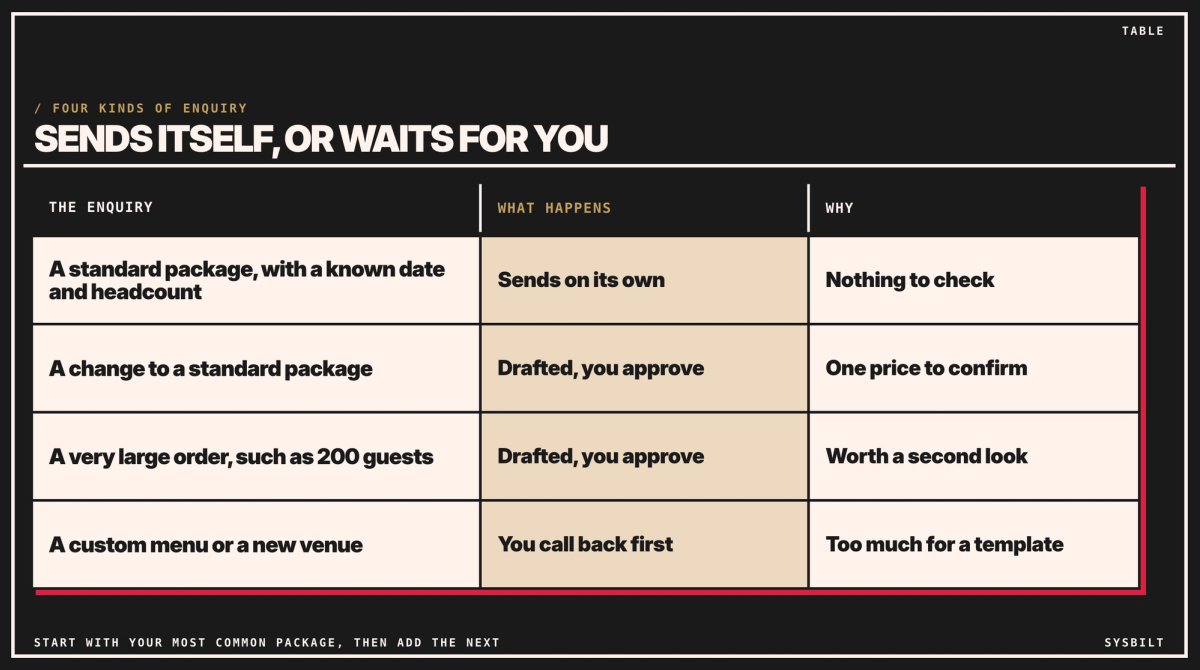
Standard packages with a known date and headcount send on their own. A change to a package, or a very large order such as 200 guests, is drafted and waits for your OK. A custom menu or a new venue gets a call from you first. The point is what goes wrong otherwise: a quote that sends itself with last season's prices, or for a venue with no kitchen, is hard to take back.
If dates or equipment can run out, check them before anything sends itself. And if you can't look at a draft for a few hours, have the form send the client a short note that their quote is coming today.
Start with your most common package. Once those quotes go out well, add the next one.
Follow up without remembering to
Sending fast is half of it. The other half is what happens when the client goes quiet.
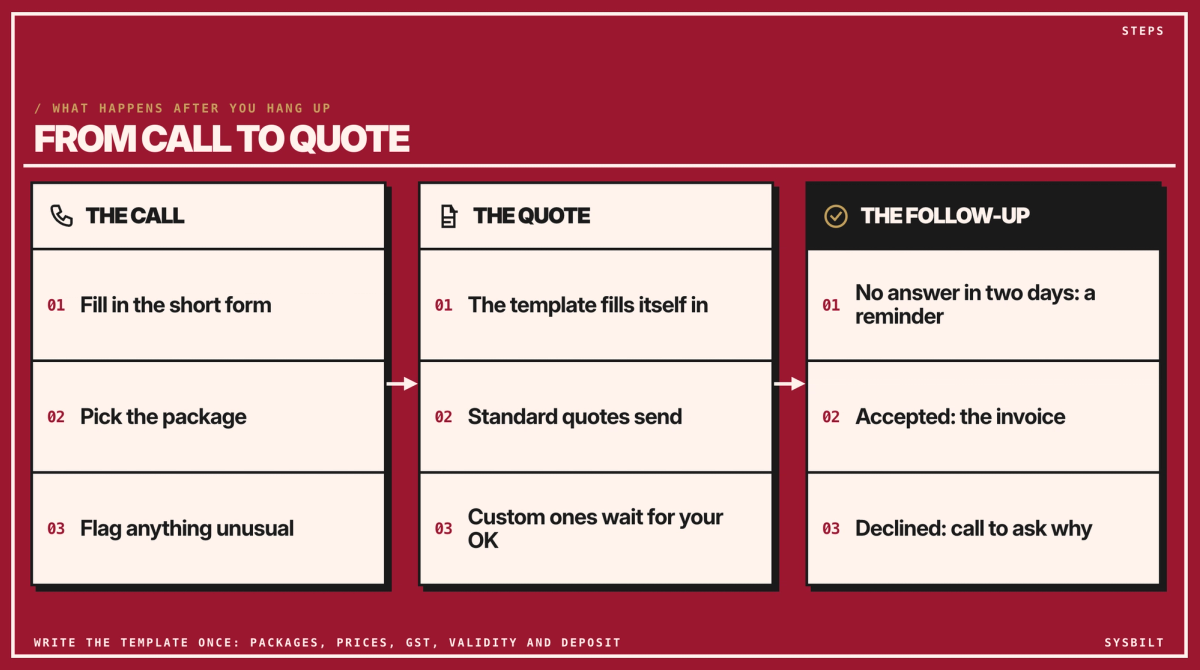
- 01No answer in two days: a short reminder goes to the client from your address, and you get a copy, so you can call about the big ones. With Xero alone, the connector app sends it. In a CRM it's built in: Pipedrive's Growth plan, for example, automates emails and follow-ups.
- 02Accepted: in Xero, find the quote, choose Create invoice, and add, edit or remove items if you need to. That's the deposit invoice, without retyping.
- 03Declined: Xero lets clients give a reason. Either way, call them. A declined quote is the best feedback you'll get on your packages and prices.
Once a client says yes, the next step is the paperwork. Our post on automating contract signing covers that.
We set this up for businesses like yours, from the items in Xero to the form, the templates and the follow-ups. That's part of our CRM & Lead Tracking service, which makes sure every enquiry, by phone or form, gets followed up.
Before you set anything up, write down your three most common packages and the extras you add most often. If you'd like a hand, book a 15-minute call with our team in Sydney, by phone or video. Bring a recent quote, and you'll leave knowing which of your quotes could send themselves, and whether Xero alone is enough for now. There's no obligation after the call, and we don't upsell.

WRITTEN BY
Felipe Chaparro
Systems Architect and Founder of SYSBILT. Felipe engineers custom automation, AI workflows, and performance web architectures for scaling Australian service businesses.