
AI that books meetings in your calendar: three ways it works, what's already in Microsoft 365 and Google Workspace, and the rules that keep it safe.
In this article
A new client asks for a first appointment, and the emails start: Tuesday? Not Tuesday. Thursday at 4? Thursday the broker's at a settlement. By the time a time is agreed, a few days have gone, and some clients have booked with someone who replied with a link.
Here's how AI that books meetings in your calendar automatically works for a firm like yours, with a correction up front: most of what's sold as this is a booking page with rules, and that's usually what you need. Below are the three ways it's done today, what's already in your Microsoft 365 plan, and the rules that stop it filling your week with the wrong meetings.
The short answer
Most "AI that books meetings" is a booking page with rules: clients pick a time that's free in your calendar, and the meeting lands there. Microsoft Bookings comes with Microsoft 365 Business plans, Google's booking pages come with Google Workspace, and Calendly has a free plan with one meeting type, then US$10 (about A$14) a seat a month, paid yearly.
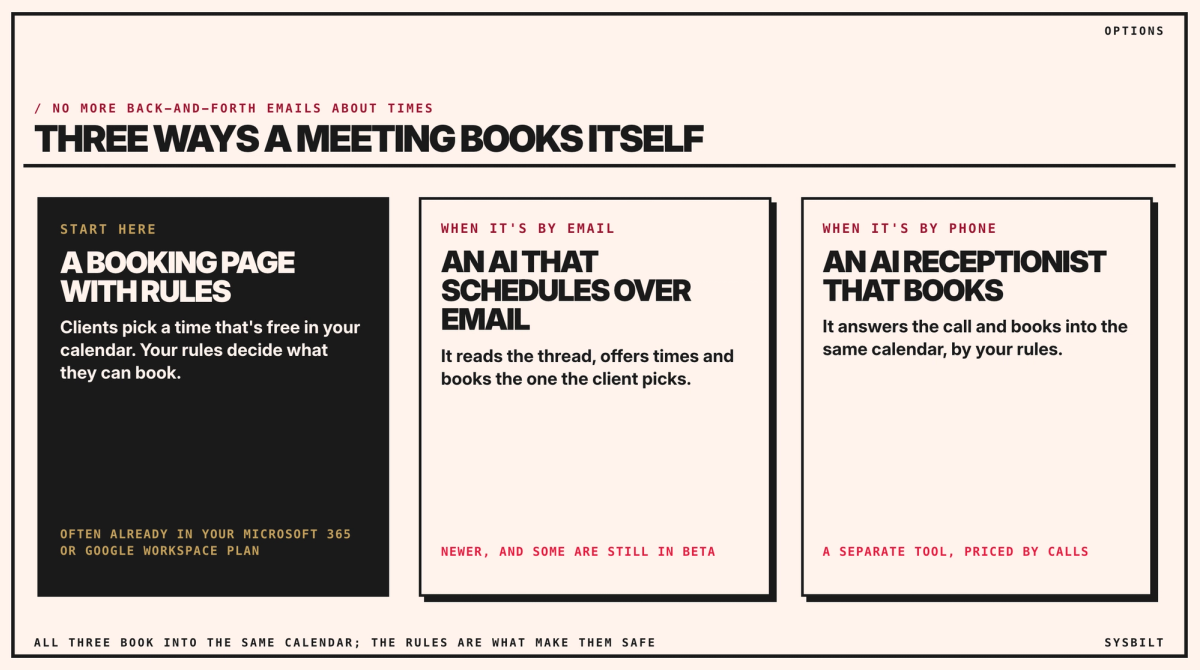
Three ways a meeting books itself
- A booking page with rules. Clients pick a time that's free in your calendar, and your rules decide what they can book. Start here: it's often already in your plan.
- An AI that schedules over email. It reads the email thread, offers times and books the one the client picks. These are newer, and some are still being tested, such as Callie, Calendly's assistant, which Calendly marks as a beta.
- An AI receptionist that books. It answers the phone and books into the same calendar, by the same rules. That's a separate tool, priced by calls: at one Australian provider, A$250 a month for 200 calls, plus GST. Our post on AI receptionists covers it.
All three book into the same calendar. The rules are what make them safe.
What you may already pay for
| What it is | What it costs | |
|---|---|---|
| Microsoft Bookings | Booking pages that read your Outlook calendars | Included in Microsoft 365 Business Basic, Standard and Premium |
| Google appointment schedules | Booking pages in Google Calendar | One booking page on a personal account or Business Starter; more pages, reminders and checking several calendars on Business Standard and up |
| Calendly | A booking tool on its own | A free plan with one meeting type; Standard US$10 (about A$14) a seat a month, Teams US$16 (about A$23), paid yearly, before any GST |
From Microsoft, Google and Calendly, checked 8 November 2026, with US dollars at the Reserve Bank's rate of A$1 = US$0.69 on 6 November. Your firm is on Microsoft 365 Business Standard, so Bookings is already in the plan: no new subscription, just set-up.
One page for five brokers
A shared booking page in Bookings can list all five brokers. For each kind of meeting, you choose which brokers offer it, such as a commercial lending appointment only with the two brokers who do it, and whether clients pick a broker or take whoever is free. With "Add online meeting" turned on, each booking gets its own Teams link in the confirmation and reminder emails (Microsoft).
Setting up the booking page is an afternoon's work for someone who knows your brokers' calendars: create the shared page, add the brokers, add the first appointment as a service with its rules, and publish the link. Connecting it to your broker software is a separate job. Bookings doesn't fill in your broker software by itself, so ask its provider whether it connects to Microsoft 365. If it doesn't, a connector app, a subscription service such as Make or Zapier that copies details from one app to another when something happens, can add each new booking to it. Their paid plans start at US$9 (about A$13) and US$19.99 (about A$29) a month, paid yearly, before any GST (checked 7 November 2026), and building the connection takes someone who has built one before.
The rules on your booking page
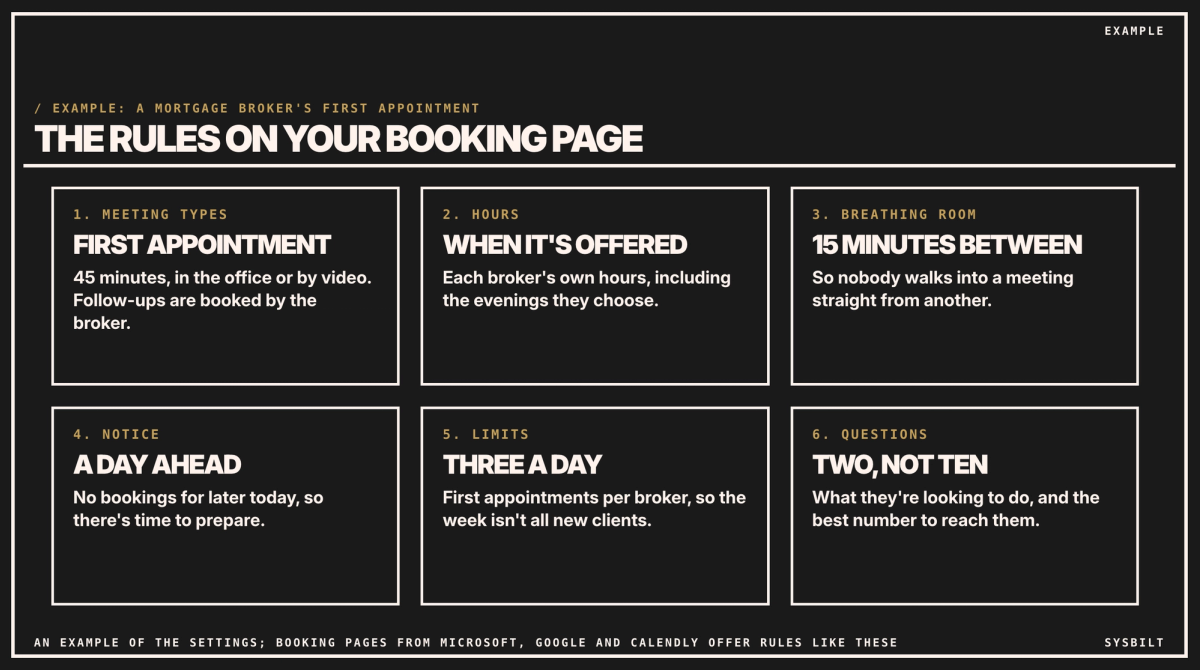
The rules matter more than the tool. For a broker's first appointment, they might look like this:
- 01Meeting types: a 45-minute first appointment, in the office or by video. Follow-ups are booked by the broker.
- 02Hours: each broker's own hours, including the evenings they choose.
- 03Breathing room: 15 minutes between meetings.
- 04Notice: a day ahead, so there's time to prepare.
- 05Limits: three first appointments a day per broker, so the week isn't all new clients.
- 06Questions: two, not ten: what they're looking to do, and the best number to reach them. Leave the financial details for the meeting. That isn't only tidiness: brokers work under the National Consumer Credit Protection Act, regulated by ASIC, with a duty to act in each client's best interests (ASIC), and credit information has its own strict rules under the Privacy Act (OAIC). A booking form is the wrong place to start collecting it.
Where the AI part comes in
A booking page doesn't need AI. The AI is for the requests that don't start on your website: an email asking "can we meet next week?", or a call at 7pm. An AI that schedules over email can reply with times from the same calendar, and an AI receptionist can book a caller by the same rules. Our post on AI agents explains what to settle before you let software act for you.
Start with the booking page. Add the AI where requests still slip through. If most of them arrive by email, our post on answering customer emails with AI, under Related articles at the end of this page, covers drafting the replies.
What to check before you switch it on
- Every broker's calendar is current, with leave, settlements and travel blocked out. A booking page only knows what the calendar shows.
- Confirmations and reminders go out, with the address or video link. Check that clients can reschedule or cancel from them, so a change doesn't start the emails again.
- The link is everywhere clients look: your website's enquiry page, email signatures and the auto-reply.
- Someone checks new bookings each morning for the first fortnight.
- The page says what you collect and why, with a link to your privacy policy. Bookings keeps what clients type in your Microsoft 365 account, so treat it like your client emails: only the people who need it can see it.
Start this week
- 01Write down your meeting types, with length, place and who can book them.
- 02Set the rules for each broker: hours, breathing room, notice and limits.
- 03Turn on the booking page you already pay for, and put the link in your email signature.
If you'd rather have it set up, we set up booking pages and the AI around them, connected to your calendars and your client records. That's part of our AI Assistants service.
If you'd like a second pair of eyes, book a 15-minute call with our team in Sydney, by phone or video. Bring your meeting types and how each broker likes to work, and we'll tell you how to set up the rules, so you leave knowing what to switch on first. There's no obligation after the call, and we don't upsell.

WRITTEN BY
Felipe Chaparro
Systems Architect and Founder of SYSBILT. Felipe engineers custom automation, AI workflows, and performance web architectures for scaling Australian service businesses.