How call tracking shows which ad, search or listing made your phone ring, what to put on your Google listing, and how to set it up in Australia.
In this article
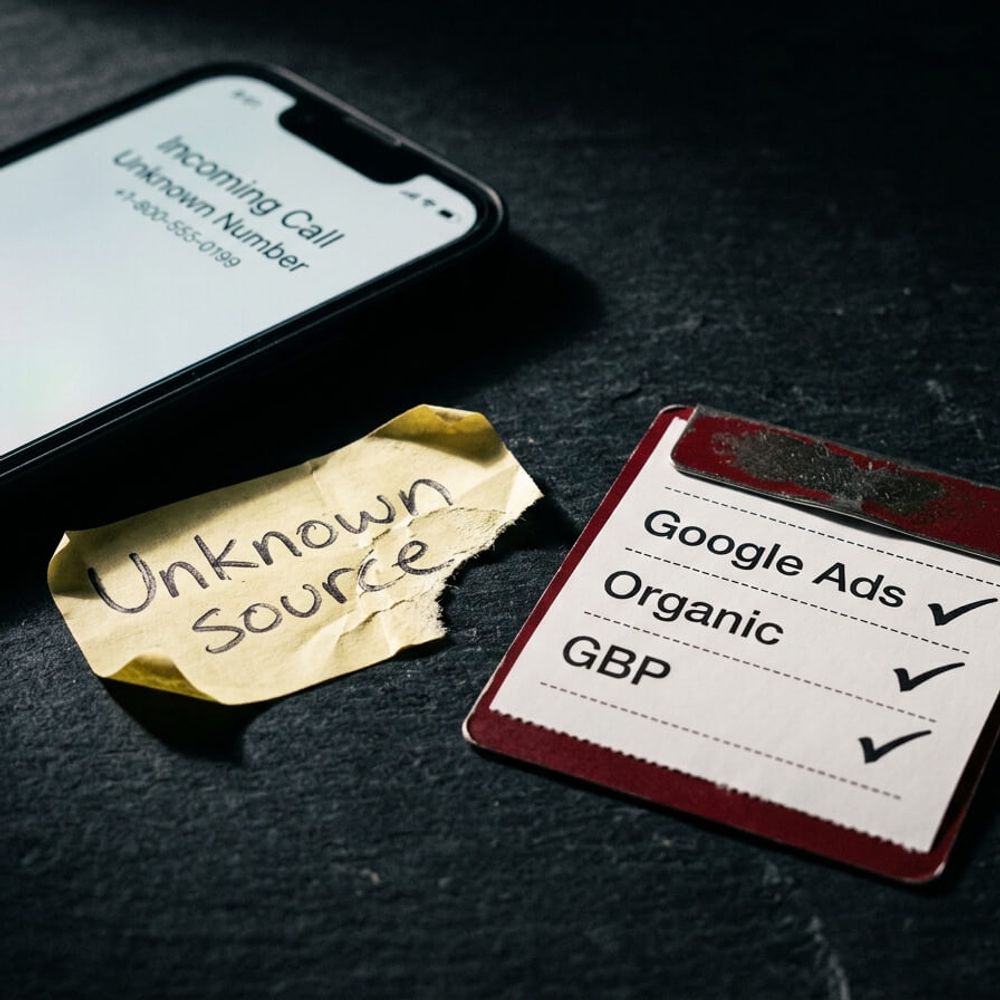
If your phone rings and nobody can say whether the caller came from your Google Ads, your Google listing (your Google Business Profile) or an ordinary search, you're guessing where your marketing works. Online forms show up in your website reports, but calls usually don't, and for a practice, a firm or a builder, a call can be the enquiry that matters most. Call tracking closes that gap by linking each call to where the caller found you, and it shows you the calls nobody answered.
The short answer
To track phone calls from your website, use call tracking. Your site shows each visitor a tracking number, and every call to it still rings your main number. Each call is logged with where the caller found you, such as an ad, a search or another website, so you can see which marketing brings the calls.
How call tracking works
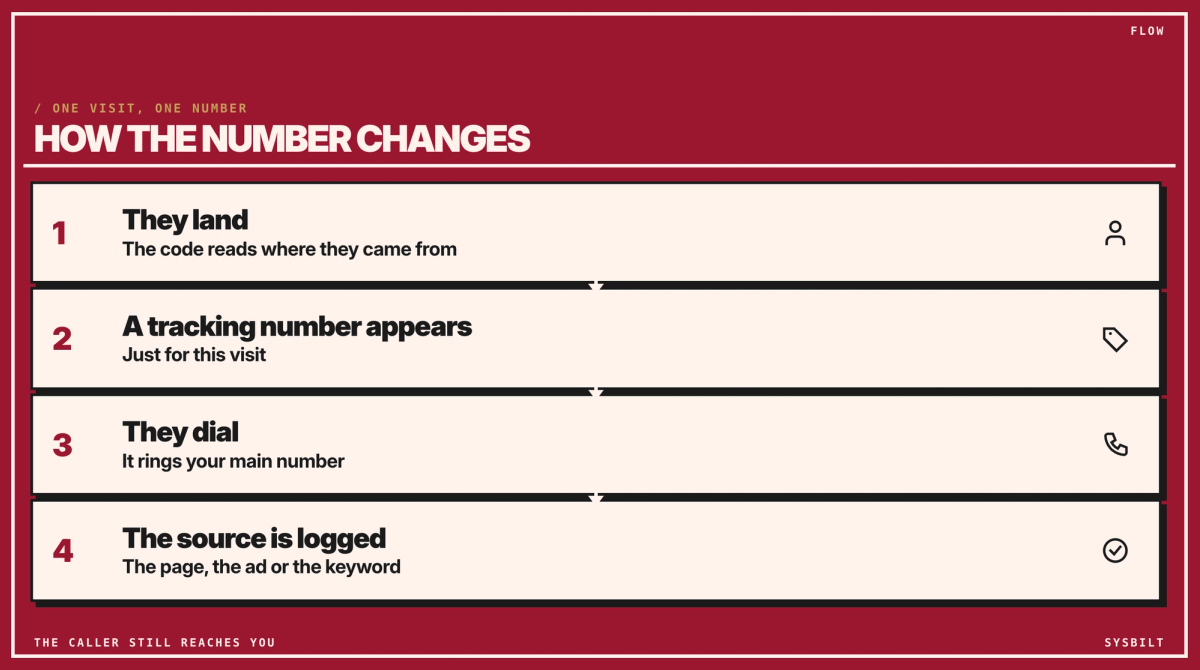
A small piece of code on your website swaps the phone number for each visit (providers call it dynamic number insertion). Every tracking number forwards to your main number, which can be a landline or a mobile, so callers always reach you.
- 01They land. The code reads where the visitor came from: an ad, a search or another website.
- 02A tracking number appears. The visitor sees it in the number on the page and in the call button, just for this visit.
- 03They dial. It rings your main number.
- 04The source is logged: the page, the ad or the keyword they searched.
Each tracking number can belong to only one visitor at a time, so a busy site needs several. Your provider works out how many from your website visits and includes them in the quote.
For example, a line in your report might read: Tuesday 10.14am, Google Ads, "knockdown rebuild Castle Hill", 6 minutes, answered.
Sources away from your website can have their own numbers too. A fixed tracking number on a brochure, on your building-site signs or at your display home tells you which one rang. These numbers don't change; each source simply has its own. For a directory such as Houzz, keep your main number so your details match your Google listing, and ask those callers how they found you.
Four ways to track calls, compared
| Method | What you learn | What you miss |
|---|---|---|
| Google Ads call reporting | Calls from your ads | Calls from search, your Google listing and other websites |
| Counting taps on your phone number | That someone tapped to call on a phone | Whether the call connected or how long it ran, and people who dial by hand |
| Call tracking | Where each caller from your website found you | Calls to your main number from your listing, your footer or a business card |
| Asking callers how they found you | What they remember | Anyone who isn't sure, or isn't asked |
If you spend on more than one kind of marketing, call tracking is the method that tells them apart best. The others still help. Google Ads call reporting is enough if ads are all you run, and if you get a handful of enquiries a month, mostly by referral, asking every caller may be all you need.
Can a tracking number go on your Google listing?
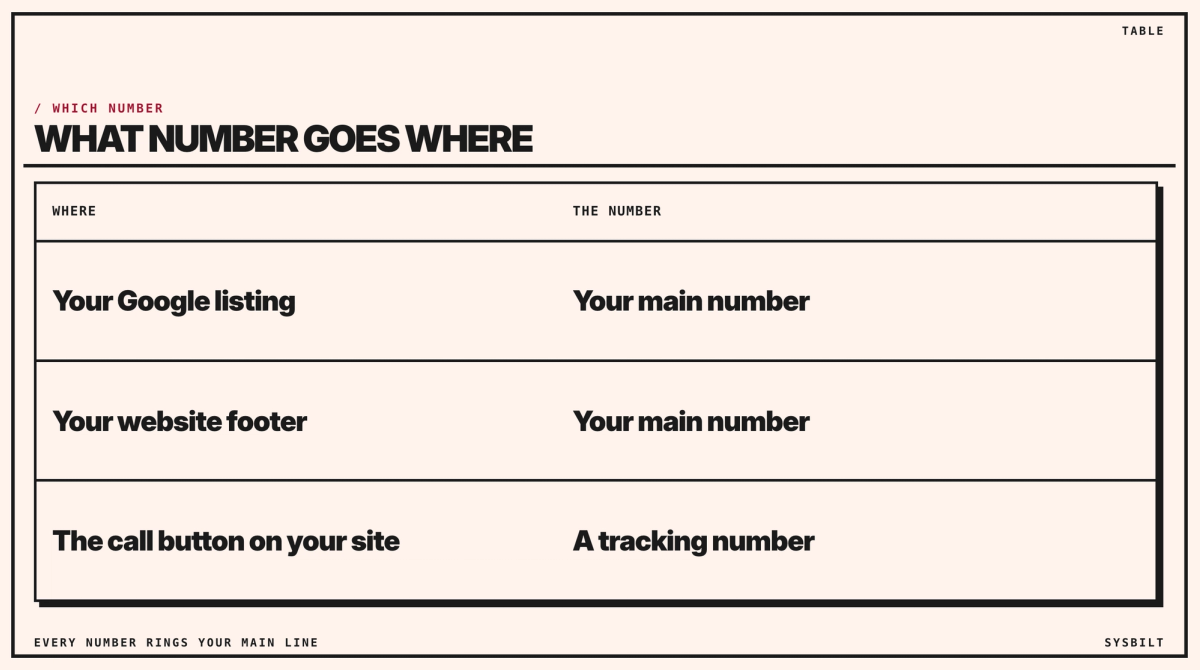
No, keep your main number there. Google's ownership guidelines say the phone number on your listing should always be the single, authoritative number for the business, one you can verify. You don't need a tracking number there anyway, because your listing's Performance report already counts taps on its call button. It doesn't show whether a call connected, and it includes existing clients looking up your number, so read it as an upper limit on new enquiries.
Your main number also stays in your website's footer, because Google and directories read your details there, and they should match your listing. The tracking number replaces only the call button and the number at the top of the page. Calls to the footer number won't be tracked, which is the small gap you accept to keep your details consistent.
How to set it up
- 01List where your calls come from. Usually that's Google Ads, your Google listing, ordinary search, and any sign, display home or referral partner you want to measure. The provider needs this list to quote.
- 02Choose a provider. Australian providers include Delacon and Avanser. Ask for local 02 numbers if your clients are in Sydney, or a 1300 number if you'd rather have one national number. Get a quote that shows the setup fee, the monthly fee and the contract length.
- 03Ask the questions that matter:
- whether each call's source can go into your CRM, the system that holds your client list, which might be your job or practice software;
- whether staff can hear a short message saying where the call came from before it connects;
- whether you can keep your tracking numbers if you cancel, especially any printed on signs or brochures.
- 04Have your web developer add the provider's code, so the number on the page and the call button change with each visit. It's a single snippet the provider supplies.
- 05Keep your main number in your footer and in the business details your web developer adds for Google, so your details match everywhere. Our code example shows them.
- 06Test it. Visit your site from a search, ring the number shown, and check that the call shows up in the provider's report with the right source.
If you turn on call recording, tell callers at the start, for example "calls may be recorded for training". The rules for recording calls differ between states, so check yours before you switch it on. Store recordings as carefully as client files, because they can hold private details, and for a health practice, health information.
Common questions
- What if someone saves a tracking number and rings months later? The call still reaches you for as long as you keep the number. How it's credited depends on the provider, so ask.
- Do I need a web developer? Not always. Someone has to paste the provider's code into your site, and most website builders have a setting for that. The provider's instructions will say where it goes.
When nobody answers
Call tracking logs the calls nobody answered too, with their source. That shows you when calls are being missed, so someone on your team can ring each of those missed calls back, already knowing where the caller found you.
If your calls go into your CRM, it can usually match each caller's number against your client list, so you can tell new enquiries from existing clients. Once the source sits on every client's record, you can see which marketing brings calls, which of those calls become clients, and where your budget should go next.
We set call tracking up with your website and CRM, so each call's source lands on the client's record and the reports make sense. That's part of our Websites & E-commerce service, which covers business websites, not just online shops.
Book a call with our team in Sydney, by phone or video, and we'll work out which calls to track and how to set it up for your business.

WRITTEN BY
Felipe Chaparro
Systems Architect and Founder of SYSBILT. Felipe engineers custom automation, AI workflows, and performance web architectures for scaling Australian service businesses.