Do you need a website if you have a Google Business Profile? What each one does, which brings the calls, and how to make them work together.
In this article
If most of your calls already come through your Google listing, it's fair to ask whether the website still earns its keep. Here's what each one does, which one brings the calls for a business like yours, and where to put your effort first.
The short answer
You need both, because they do different jobs. Your Google Business Profile puts you in Google's map results, where nearby searchers call or get directions in one tap. Your website is where people check you out before they commit, and it takes enquiries when nobody can answer. Set up the profile first, then make sure the website backs it up.
Which one gets you more calls?
It depends on how your clients find you, so here's how to read it for your business:
- Clients search for what you do nearby, the way most patients look for a dentist. Those searches usually show the map at the top, and people can call from your profile in one tap, so get the profile right first.
- Clients come by referral or search for your name, as many do with an accounting firm. They'll often still look you up, and your name brings up your profile beside your website, so both need to be right, and the website does more of the convincing.
- Clients decide over weeks, as they do with a custom home. The first call matters less than what they read before it, so put more of your effort into your service and project pages.
If you fit more than one, follow the advice for the one that brings most of your new clients, then check it with the counts in the last section.
What your Google Business Profile does
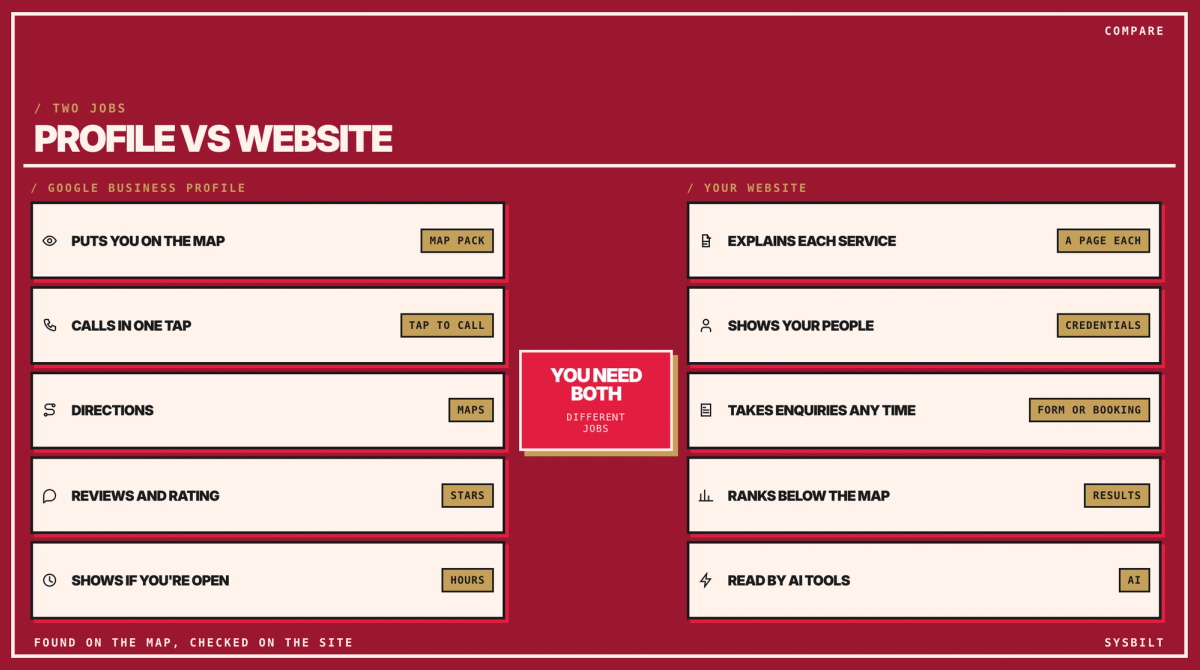
Your Google Business Profile is your listing on Google Maps and in the map pack, the three businesses Google shows with a map when someone nearby searches for what you do. From that listing, people can call you, ask for directions or open your website in one tap. They see your hours, your rating and your reviews before anything else.
It's also where most of the map's ranking is decided. Whitespark, a Canadian local search software company, asked 47 local search specialists, people who do this work for clients, for their best estimates in its 2026 Local Search Ranking Factors, released in November 2025. They put your profile and its reviews at about half (52%) of what decides who appears in the map.
What a profile can't do
A profile can't hold much detail, and it isn't yours to control. You can't explain each service in depth, introduce your team properly, or keep enquiries in your own inbox. Google decides what the listing looks like and what it offers. It switched off chat on Business Profiles in July 2024, and it shut down the simple websites businesses had built with their profiles in March 2024. A profile that breaks Google's guidelines can also be suspended.
What your website does that a profile can't
Your website is the one you own, and it does four jobs the profile can't:
- It explains each service. Give each one a page saying who it's for, what's involved, what affects the fee and which areas you serve. You don't need to publish prices: for an accounting firm, what affects the fee might be the size of the business, how many entities it has and how tidy the books are. In Whitespark's survey, a page for each service is the top factor for the results below the map.
- It shows why you. Your people and their credentials, the kinds of clients and industries you know, and, for a builder, your projects.
- It takes enquiries when nobody can answer. A short form or online booking holds the details until you're back, and the enquiry lands in your own inbox.
- It ranks where the profile doesn't, and AI tools read it. Below the map, the specialists put your website and the sites linking to it at just over half (57%) of what decides the results. It's also what AI tools such as ChatGPT and Google's AI Overviews read when someone asks them to recommend a firm.
It helps the map too. Google says how well known you are counts toward your map ranking, and that includes how many other websites link to yours, such as your professional body, your industry association or the local news.
What each setup gets you
| What changes | Profile only | Website only | Both |
|---|---|---|---|
| Where you show up | The map pack and Google Maps | The results below the map, and AI answers | The map, the results below it and AI answers |
| What a searcher can do | Call, get directions, read reviews | Read about each service, book or send an enquiry | All of it, wherever they start |
| Out of hours | They can see you're closed | A form or booking page holds the enquiry | Both |
| The proof | A few photos and your reviews | Your people, credentials and projects | The same story in both places |
| Who controls it | You | You run the site, and Google runs the listing |
How to make them work together
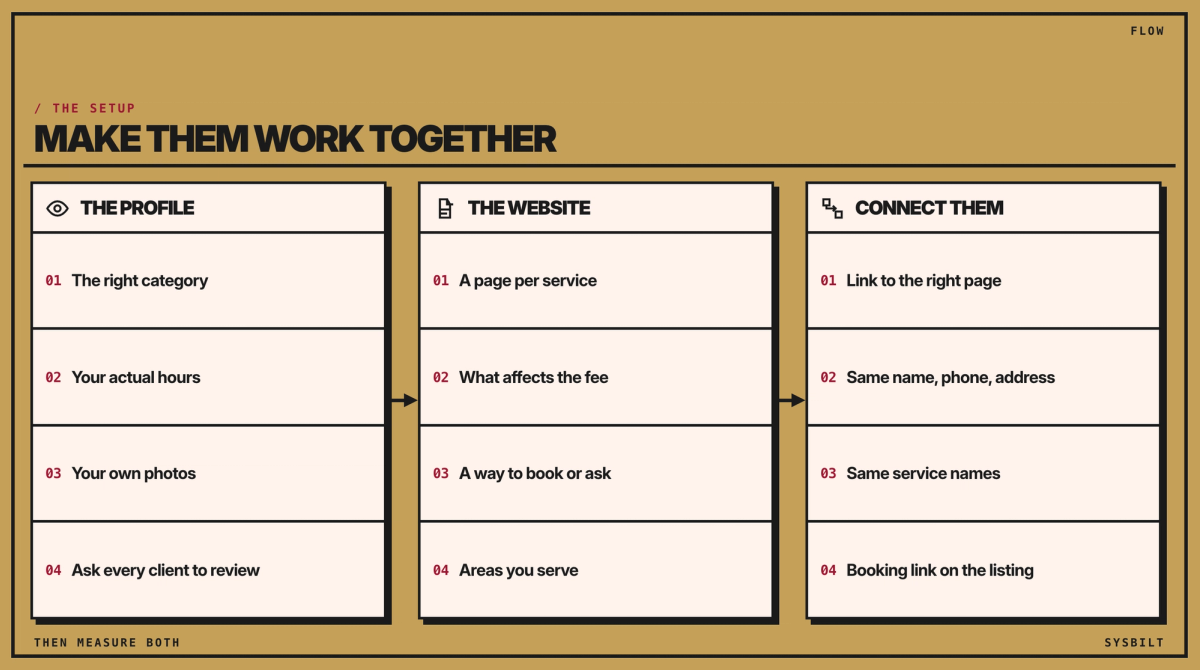
The two work best when they tell the same story. Get the profile right first, from the main category (the label for what you do, such as Dentist or Custom home builder) to your actual opening hours and a review request to every client or patient, as our Google Business Profile checklist sets out, including the extra rules for health practices. Then connect them:
- 01Link the profile to the right page: your homepage, or each location's own page if you have several.
- 02Use the same details on both. Your name, phone number and address should match word for word. If your profile hides your address because you work at clients' sites, match the name and phone.
- 03Use the same service names. The services on your profile and the pages on your site should use the same words, the ones clients search for. Your profile's Performance report lists the searches people used to find you, which is a good place to start.
- 04Add your booking link to the profile if clients book online.
- 05Show the same work in both places: your own recent photos on the profile, and the detail on the site.
How to tell which one brings your clients
You can hand this to whoever looks after your website and your profile. For a month, or a quarter if you win a handful of big jobs a year, keep four counts:
- Ask every new client how they found you. It's the simplest check, and the only one that catches referrals.
- Website enquiries. Count the forms, emails and bookings that come through your website.
- Calls and clicks from your profile. The Performance report, inside your profile on Google, counts calls from the listing and clicks through to your website. Existing clients use the profile to find your number too, so read it as an upper limit on new business.
- Calls from the website. If the phone matters to you, call tracking gives the website its own number that forwards to your line, so you can count the calls it brings in.
If most new clients found you through the profile, keep it current and make sure the page it links to answers what people ask next, such as your fees or how to book. If people find your website but don't get in touch, the website needs the work, not the listing.
If you'd like both built and connected, that's part of our Websites & E-commerce service, which covers business websites, not just online shops.
Book a call with our team in Sydney if you'd like us to look at your listing and your website side by side. You'll come away with a short list of what we'd fix first.

WRITTEN BY
Felipe Chaparro
Systems Architect and Founder of SYSBILT. Felipe engineers custom automation, AI workflows, and performance web architectures for scaling Australian service businesses.